
Popup SEO Impact: How to Avoid Google Penalties in 2026
Introduction
You spend hours crafting the perfect portfolio. You choose the right projects, write compelling case studies, and design a page you're proud of. You launch it, share it on LinkedIn, and wait for the opportunities to roll in. But they don't. The problem might not be your work; it might be a single element you added to capture leads that's now hiding your entire career from view.
In 2026, the rules of online visibility have tightened. Google's page experience signals, particularly those governing intrusive interstitials, are no longer just best practices—they are strict ranking factors. A recent analysis by Search Engine Journal noted a 15% spike in manual penalties for portfolio sites violating these rules. The very tool you use to grow your audience—a popup for a newsletter or contact form—can become the reason your portfolio page disappears from search results.
This isn't about avoiding popups altogether. They work. The goal is to understand the popup SEO impact and implement them intelligently. Your portfolio is your digital handshake; it needs to be both welcoming and discoverable. This guide will walk you through the exact line between conversion and penalty, ensuring your professional presence is seen by the right people at the right time.
Understanding Google's Intrusive Interstitial Penalty
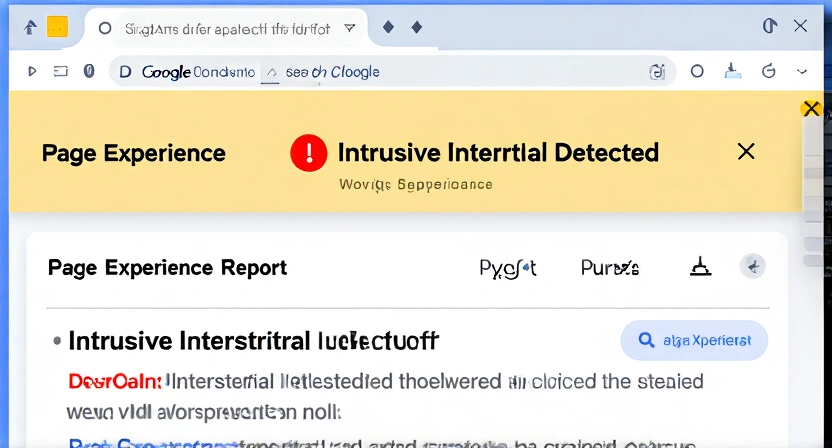
At its core, Google's penalty targets popups and overlays that make content less accessible. The official guideline states that pages should not show intrusive interstitials where the main content is less accessible immediately after navigation from a search result. This is a direct component of the Core Web Vitals and page experience ranking signals.
Think of it from Google's perspective. A user clicks a search result expecting to read an article or view a portfolio. If they're immediately blocked by a full-screen sign-up form, their search intent is frustrated. Google's goal is to reward pages that deliver a good user experience. A popup that obstructs the primary content is the opposite of that.
The definition of "intrusive" has evolved. In the early days, it was mostly about full-screen popups on page load. Now, Google's assessment is more nuanced, considering timing, size, and dismissibility. The penalty isn't a binary "you have a popup, you're penalized." It's a spectrum of user frustration that Google's algorithms are trained to detect and demote.
To clarify what you're dealing with, here’s a quick comparison of what Google typically flags versus what it allows:
| Element | Likely to Be Penalized | Generally Safe |
|---|---|---|
| Timing | Appears immediately on page load (before user scrolls). | Appears after a delay, on exit intent, or after user engagement. |
| Size | Covers the majority of the screen, especially on mobile. | Takes up a modest portion of the screen (e.g., a corner banner, bottom bar). |
| Dismissal | Difficult to close (small 'X', requires email to dismiss). | Easy to close with a clear, accessible button. |
| Content Blocked | Obscures the main content the user came to see. | Appears over non-essential areas like the header or sidebar. |
| Example | Full-screen "Subscribe Now!" modal on a portfolio homepage. | A small banner at the top announcing a new project or a slide-in CTA after scrolling 50%. |
It's important to note that some interstitials are explicitly exempt. These include age verification dialogs, cookie consent banners that are necessary for legal compliance (like the EU's GDPR), and login dialogs on paywalled content. A simple, small cookie notice won't tank your rankings, but an aggressive, hard-to-close email capture popup that mimics one might.
The technical enforcement happens through a combination of automated systems within Google's core ranking algorithms and manual reviews. You can monitor potential issues directly in your Google Search Console under the "Page Experience" report. This is your primary tool for diagnosing problems, as highlighted in our guide on popup loading performance, where speed and user experience intersect.
The Evolution of the Rule
The intrusive interstitial guideline isn't new, but its importance has skyrocketed. Initially introduced in 2017 as part of the "Page Experience" update, it was a signal for mobile pages. By 2021, with the rollout of Core Web Vitals, it became a key ranking factor for all pages. The 2026 context is defined by refinement and stricter automated enforcement. Google's machine learning models are now better at distinguishing between a mildly annoying ad and a genuinely obstructive experience that prevents content consumption.
Why Portfolio Pages Are Uniquely Vulnerable
Portfolio sites sit in a dangerous middle ground. They are not purely informational blogs, nor are they e-commerce sites with clear conversion paths. Creators and professionals often feel the pressure to capture visitor information to build a network or client list. This leads to implementing popup strategies copied from marketing blogs—strategies that are often too aggressive for a site whose primary job is to showcase work. The penalty doesn't just lower your search ranking; it can make your portfolio invisible for your own name searches if the violation is severe, directly contradicting the goals of personal branding.
Why Your Popup Strategy Is Costing You Opportunities
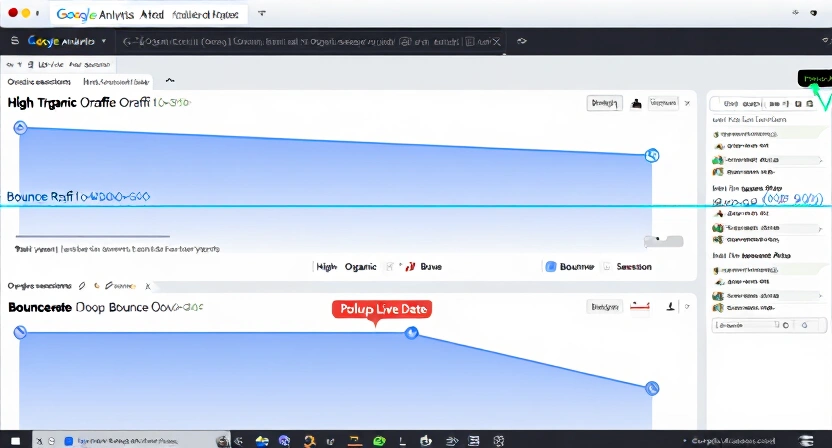
The immediate consequence of a penalty is a drop in organic search traffic. For a portfolio, this isn't just a vanity metric; it's a direct pipeline to opportunity. Recruiters, potential clients, and collaborators use search engines to find talent. If your page ranks on the second page for "frontend developer portfolio" or doesn't appear when someone searches your name alongside your industry, you are functionally offline to a huge portion of your potential audience.
The damage is often silent. You won't receive an email from Google saying "You've been penalized." The decline is gradual. You might notice fewer views on your portfolio over several weeks. You might blame it on market saturation or bad luck, never connecting it to the popup you added a month prior. This silent erosion is why understanding the popup SEO impact is non-negotiable.
Problem 1: The Mobile-First Mismatch
Over 60% of global web traffic comes from mobile devices. A popup that looks reasonable on your 27-inch desktop monitor can be completely oppressive on a 6-inch smartphone screen. Google's indexing is mobile-first. This means the primary version of your page Google evaluates is the mobile version. If your popup covers 90% of that small screen, you are almost guaranteed to be flagged for providing a poor page experience. The penalty then applies to all versions of your page—desktop included.
Problem 2: Destroying Your Own First Impression
Your portfolio has about 5 seconds to make an impression. A visitor arriving from a search result has a specific intent: to evaluate your work. An immediate popup hijacks that intent. Instead of seeing your best project, they see a demand for their email. The psychological response is often negative—frustration or a feeling of being tricked. They hit the back button. Google tracks this "pogo-sticking" behavior. If users consistently click your search result and immediately return to Google, it signals that your page didn't satisfy their query. Your ranking falls. You've used a popup to convert, but instead, you've prevented any meaningful engagement from happening at all.
Problem 3: The Speed Kill Chain
Popups, especially poorly coded ones, can significantly slow down your page load time. They often require extra JavaScript, CSS, and image files. Slow loading is another Core Web Vitals metric (Largest Contentful Paint). A slow page gets a lower ranking. A slow page with an intrusive popup gets a double penalty. This creates a compounding negative effect on your visibility. Optimizing for performance is critical, a topic we explore in depth regarding popup loading performance.
The business cost is real. Every percentage point drop in organic visibility translates to fewer eyes on your work, fewer inbound inquiries, and missed career opportunities. In a competitive landscape, your portfolio needs every advantage. Letting a preventable technical SEO issue hold you back is a mistake you can't afford. This is precisely why a modern portfolio needs to be dynamic, a point central to the 2026 portfolio pivot.
How to Implement SEO-Friendly Popups on Your Portfolio
The solution is not to abandon popups, but to adopt a surgical approach. Your goal is to engage visitors after they've had a chance to engage with your content, making the popup feel like a natural next step rather than an obstacle.
Step 1: Choose the Right Trigger (Timing Is Everything)
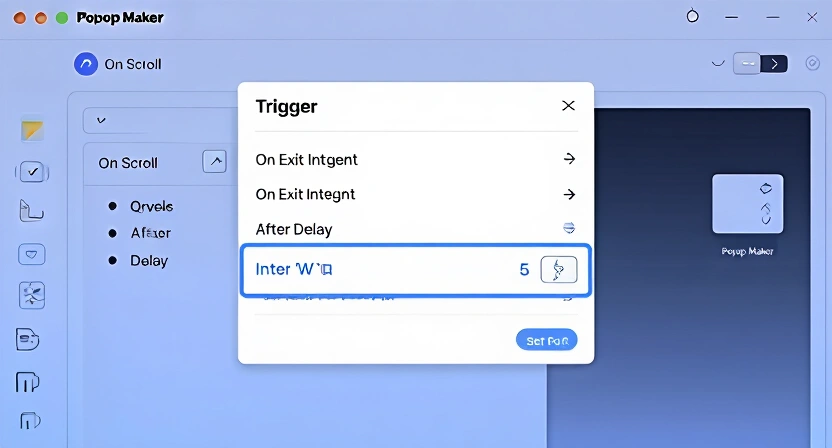
The trigger—the event that makes the popup appear—is your most important setting. Avoid the "on page load" trigger at all costs.
- On Scroll: Set the popup to appear after the user has scrolled through 50-70% of your page. This signals they are engaged with your content. They've seen your projects, read your bio, and are now potentially interested in connecting.
- On Exit Intent: This trigger uses mouse movement to detect when a user is about to leave the page (moving the cursor toward the browser's address bar or tab). It's a last-chance engagement tactic that doesn't interrupt the browsing experience.
- After a Time Delay: A 5-10 second delay gives the user time to absorb the initial content before the popup appears. Even this short buffer is often enough to avoid the "intrusive" classification.
- On Click: Make the popup appear only when a user clicks a specific button or link, like "Get my resume" or "Discuss a project." This is the least intrusive method, as it's completely user-initiated.
Most modern website builders and dedicated popup plugins offer these options. When using tools like WordPress with Elementor or a standalone service, always navigate to the 'Triggers' or 'Display Rules' section first.
Step 2: Design for Accessibility and Dismissal
A popup must be easy to ignore. If it feels like a trap, it hurts user experience and risks a penalty.
- The 'X' Button: Make it clearly visible, with sufficient size and color contrast. Don't hide it in a corner.
- Escape Key & Click Outside: Ensure the popup closes when a user presses the
ESCkey or clicks on the semi-transparent background overlay (the "backdrop"). This is standard behavior users expect. - Mobile-Specific Design: On mobile, the close button must be large enough to tap easily (at least 44x44 pixels, as per WCAG guidelines). Avoid placing interactive elements too close to the screen edges where they conflict with browser navigation.
Designing with accessibility in mind isn't just about avoiding penalties; it's about respecting all your visitors. For a comprehensive look at this, see our guide on popup accessibility best practices.
Step 3: Size and Placement Matters
Keep it modest. Your popup should not be the main event.
- Desktop: A centered modal that covers 40-60% of the screen width is usually fine. It leaves your portfolio background visible, providing context.
- Mobile: Use a bottom sheet or a top banner style. Bottom sheets slide up from the bottom of the screen and are a native mobile UI pattern. They feel less intrusive than a centered modal that dominates the small screen.
- Avoid Full-Screen: Never use a popup that covers 100% of the viewport, especially on mobile. This is the definition of an intrusive interstitial.
Here is a checklist to run through before publishing any popup on your portfolio:
| Check | Yes/No | Note |
|---|---|---|
| Does it appear after user engagement (scroll, time delay, exit)? | If "No," change the trigger. | |
| Can it be closed with a clear, large 'X' button? | ||
Does it close when pressing the ESC key? | Test this. | |
| Does it close when clicking outside the popup (on the backdrop)? | ||
| On mobile, does it take up less than 50% of the screen height? | Use browser dev tools to test. | |
| Is the primary page content still partially visible/legible when the popup is open? | ||
| Does it load quickly without delaying the rest of the page? | Check Google PageSpeed Insights. |
Step 4: Use Clear, Value-Driven Copy
The content of your popup needs to justify its existence. Instead of a generic "Subscribe to my newsletter," try:
- "Get my curated list of design resources."
- "Download a one-page PDF of my career highlights and contact info."
- "Join my monthly roundup of industry insights and project breakdowns."
This transforms the popup from an interruption into an offer. It aligns with the visitor's intent (they're interested in your work) and provides a logical next step. This approach to content is a cornerstone of effective personal branding.
Step 5: Test with Google's Own Tools
Don't guess. Use free tools to validate your approach.
- Google Search Console (Page Experience Report): This is your dashboard. After implementing a popup, monitor this report for any warnings related to "Intrusive Interstitials."
- Google's Mobile-Friendly Test: Enter your portfolio URL. The tool will render your page as Googlebot sees it and flag any content that is not accessible. If your popup blocks content on load, it will tell you.
- Lighthouse in Chrome DevTools: Run an audit (Performance + SEO). Lighthouse provides a "Page has no intrusive interstitials" audit. A passing score here is a strong indicator you're in the clear.
Implementing these steps turns your popup from an SEO liability into a conversion asset. For a practical, step-by-step walkthrough on the technical setup, our article on how to add a popup to your website provides the exact instructions.
Advanced Strategies for Popup Conversion Without Penalty
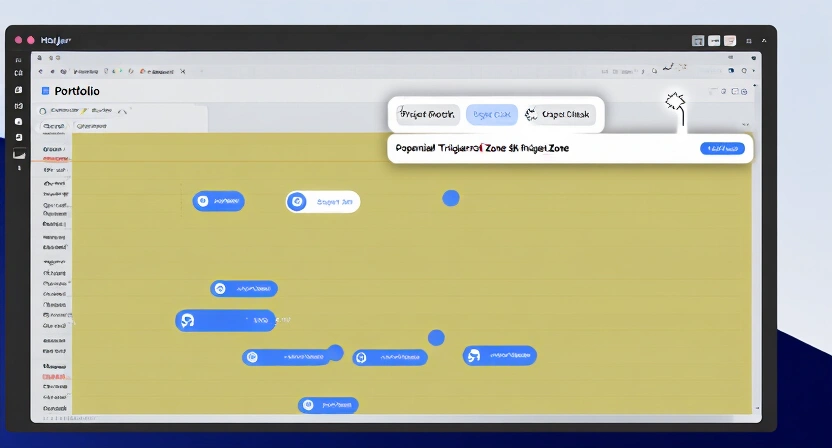
Once you've mastered the basics, you can leverage more sophisticated tactics to increase conversion rates while staying firmly within Google's good graces. These strategies focus on intent and personalization.
Strategy 1: Contextual Triggers Based on Page Content
Don't use the same popup everywhere. Tailor it to the page's content and the user's likely intent.
- On the Blog/Articles Page: A popup offering your "best career advice PDF" makes sense after someone reads an article about interview tips.
- On a Specific Project Case Study: After a user finishes reading a detailed case study, a popup saying "Interested in a similar project for your business? Let's talk" is highly relevant and non-intrusive.
- On the Contact Page: You likely don't need a popup here at all. The user is already in a conversion mindset.
This requires a bit more setup in your popup tool (using URL-based display rules), but the relevance dramatically increases conversion likelihood.
Strategy 2: The "Two-Step" or "Soft" Opt-In
Reduce friction by starting with a low-commitment ask.
- First, use a small, non-modal element like a stylish button or a footer banner that says "Get occasional updates."
- When clicked, it opens the full email capture form.
This method is never penalized because the initial interaction is 100% user-initiated. The user controls the experience. It respects their autonomy while still providing a clear path to subscribe.
Strategy 3: Leverage Analytics for Precision Timing
Use data, not guesswork, to decide when your popup should appear. Tools like Hotjar or Microsoft Clarity can show you scroll depth and user behavior.
- If analytics show 80% of users scroll to the end of your "About Me" section, set the popup trigger for 85% scroll on that page.
- If you see a high drop-off rate at a specific point, maybe place a helpful, non-obstructive tooltip or inline CTA there instead of a popup.
This data-driven approach ensures your popup appears at the moment of maximum engagement, not maximum annoyance. Understanding this level of user interaction is key to building a portfolio that truly converts, a theme explored in why your portfolio will get you hired in 2026.
Strategy 4: Replace Popups with Persistent, Non-Obstructive Elements
Consider if you need a popup at all. Often, a well-designed persistent element can achieve the same goal without any SEO risk.
- A Sticky Footer Bar: A thin bar at the bottom of the screen with a short CTA ("Download my CV").
- An Inline Sign-Up Form: A simple form embedded within your website's footer or sidebar.
- A "Floating Action Button" (FAB): A small circular button in the corner that expands when clicked, popularized by mobile apps.
These elements are always visible but don't block content. They provide a constant, low-pressure invitation.
Got Questions About Popup SEO? We've Got Answers
How soon after adding a popup will I see a Google penalty?
There's no fixed timeline. Google's crawlers need to discover and index the updated page. Penalties from automated systems can happen within a few days to a couple of weeks after the page is re-crawled. A manual review penalty, if applied, would take longer but is rarer for this issue. The key is to be proactive: test with Google's tools before you see a traffic drop.
What if my popup is necessary for legal compliance, like a cookie consent banner?
You are in the clear. Google's guidelines explicitly exempt interstitials that serve a legal purpose, such as cookie consent banners (when they are necessary), age verification dialogs, or login prompts for private content. The key is that the banner should be as minimal as possible. A simple, dismissible banner at the top or bottom of the page is fine. A full-screen cookie wall that requires consent before any content is shown could still be problematic.
Can I use a popup on my homepage but not on other pages?
Yes, and this is often a smart strategy. Your portfolio homepage is the most likely entry point from search and the most valuable page. It's worth being extra cautious here. You might choose to use only a sticky header CTA on the homepage and employ scroll-triggered popups on deeper project pages where user intent is more specific and engaged. Always check each page's mobile experience individually.
What's the single biggest mistake people make with portfolio popups?
The biggest mistake is copying the aggressive "blog-style" popup strategy. Marketing blogs often use immediate, high-pressure popups because their content is disposable and their conversion metric is raw email count. Your portfolio is not disposable. Its goal is to start a professional relationship. Using a high-pressure tactic at the first interaction sets the wrong tone and, as we've detailed, actively harms your visibility. The mistake is prioritizing a quick email capture over long-term discoverability and professional reputation.
Ready to build a portfolio that converts without hiding?
Popout helps you create stunning, SEO-optimized portfolio pages that are designed for visibility from the start. Build a professional presence that stands out and gets found. Create Your Popout Page
Written by
popout
Content Team